TL;DR
Problem: Small businesses juggle 4–10 disconnected tools. Enterprise CRMs overwhelm them, and lightweight tools lack depth.
What I did: I designed the Nuvioo CRM software end to end: 120+ screens across CRM, billing, appointment system, contact management, and reporting.
Key design move: A single contact view that centralizes 9 customer interaction types, with each customer’s billing history alongside.
Outcome so far: MVP released with calendar, appointments, sales, and payments with 15 active tenants on the system. A shared inbox, form builders, and automation are next.
Overview
Nuvioo is a B2B SaaS platform that helps small businesses move from manual operations to efficient digital workflows. I designed its first CRM: one place to manage customers, scheduling, sales, and payments, without the cost or complexity of an enterprise tool.
Unlike traditional enterprise CRMs that are complex and expensive, Nuvioo focuses on clarity and usability, making digital adoption seamless for business owners new to tech-driven tools.
Project Highlights
• Centralized 9 customer interaction types into a single contact view
• 8+ core features designed end-to-end
• 120+ screens designed across CRM, billing, and reporting modules
Problem
Design principles
About company
Market Research
Our research focused on understanding the needs and challenges of small to mid-sized business owners transitioning from manual processes to digital tools. Industry research shows that over 60% of small businesses still rely on spreadsheets or manual methods to manage customer information and operations, especially among first-time CRM adopters. To ground the design in real-world constraints, we combined secondary market research with internal stakeholder discussions.
Key Insights (secondary research)
Overwhelmed by complexity: Research shows that over 50% of SMBs abandon CRM tools due to feature overload and steep learning curves, especially when tools are designed for enterprise use cases.
Desire for efficiency: According to SMB productivity studies, businesses using multiple disconnected tools lose up to 20–30% of their time switching between platforms, increasing errors and slowing response times.
Need for clarity and shared visibility: Poor visibility into customer interactions is a leading cause of miscommunication, with over 40% of SMB teams reporting missed follow-ups or duplicated work due to fragmented customer data.
What this meant for the design
Overwhelmed by complexity → clear hierarchy: clean layouts surface the most relevant information first, so new users aren’t buried in features.
Time lost switching tools → one platform: scheduling, sales, payments, and communication live in a single system instead of 4–10 separate tools.
Missed follow-ups → one timeline: every call, text, email, note, appointment, deal, and ticket sits in a single contact timeline, with billing alongside.
Persona
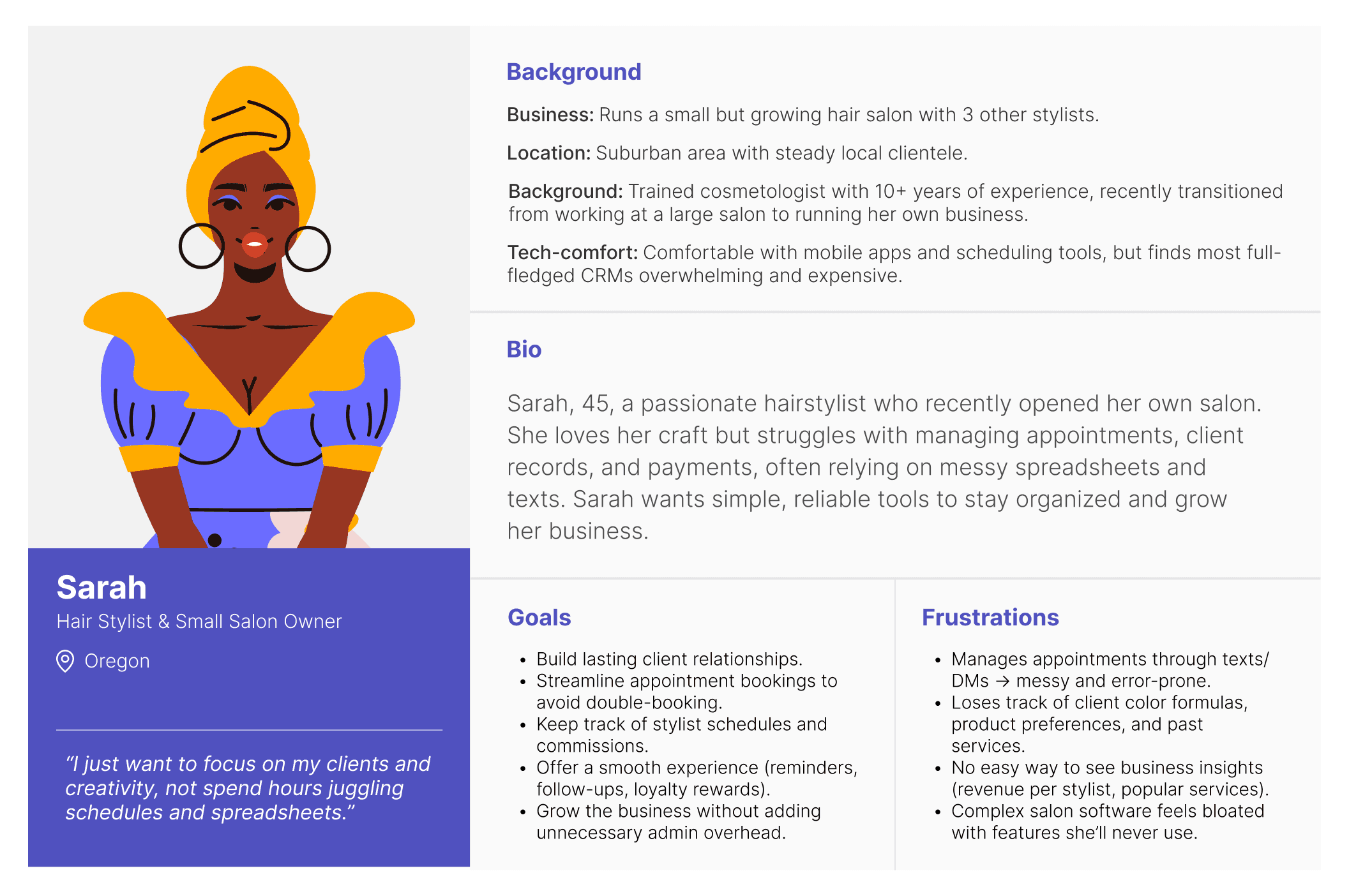
Meet Sarah. She’s a 45-year-old hair stylist who runs a small, growing salon with three other stylists. She wants simple, reliable tools to stay organized and grow her business.
Goals
Streamline appointment bookings to avoid double-booking.
Keep track of stylists’ schedules and commissions.
Offer a smooth client experience with reminders, follow-ups, and loyalty rewards.
Frustrations
Manages appointments through texts and DMs, which is messy and error-prone.
Loses track of client details, product preferences, and past services.
Complex salon software feels bloated with features she’ll never use.
Design
Nuvioo CRM was proposed as a unified solution to eliminate fragmented tools and give teams a single source of truth for managing customers, communication, and revenue. The design focuses on clarity and accessibility, organizing complex data into intuitive sections that surface the most relevant information while keeping workflows efficient and easy to navigate.
Calendar system
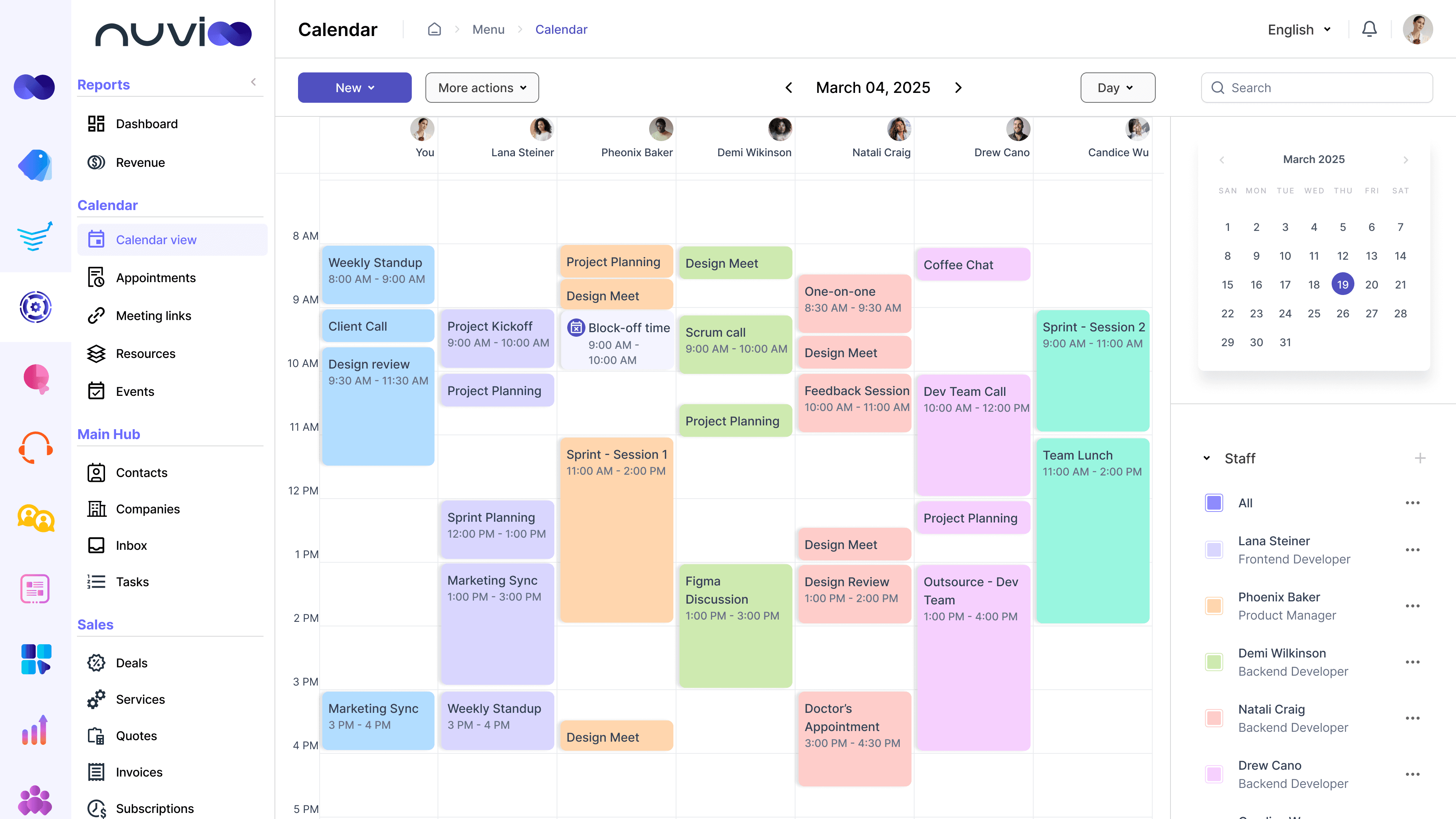
Calendar
The calendar is the core scheduling layer of the Nuvioo CRM. It helps businesses manage their own schedules as well as staff availability in one centralized view. External calendar sync (Google and Outlook) ensures availability stays accurate and prevents double booking, without requiring users to manage multiple calendars.
Appointment system
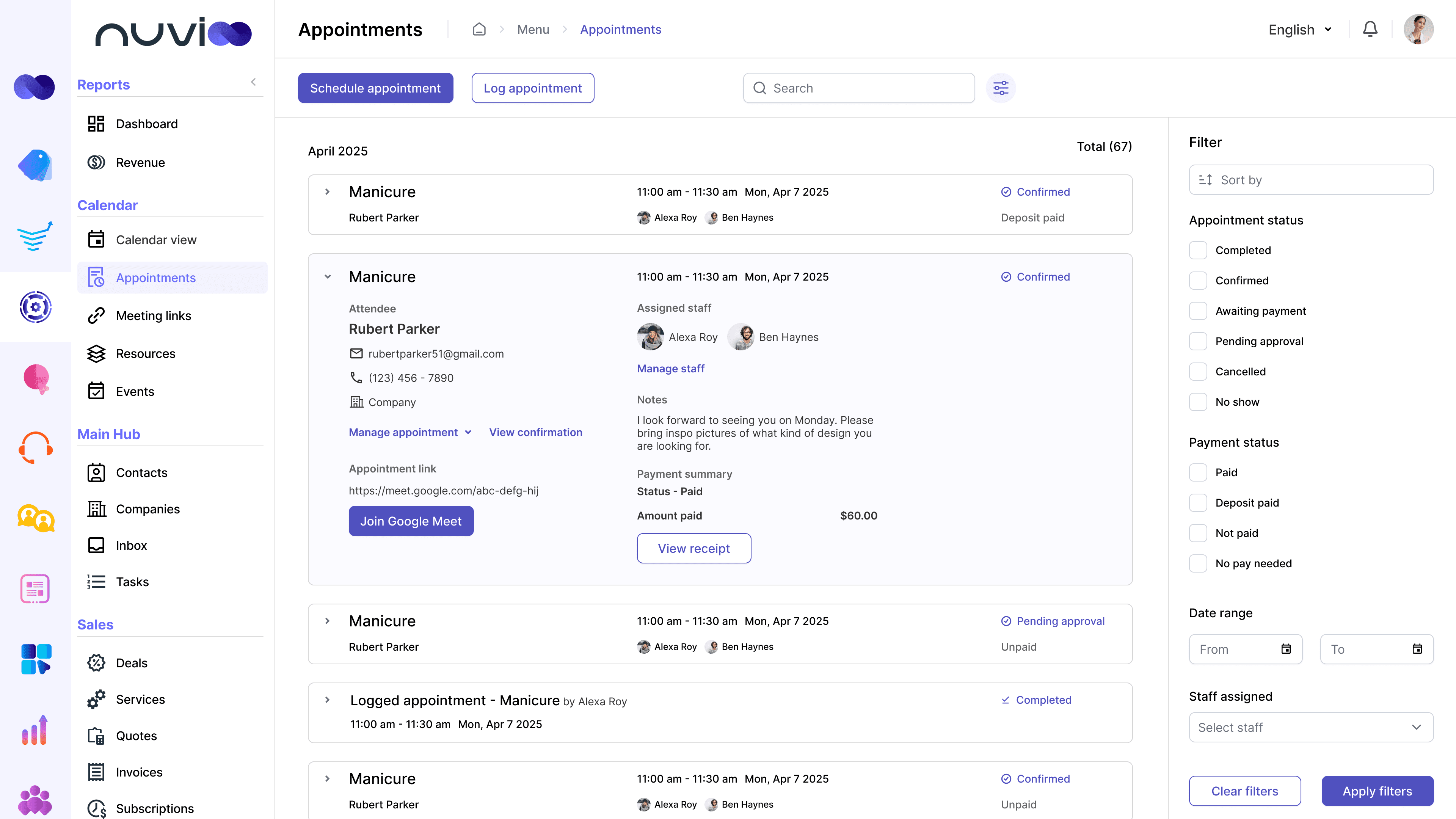
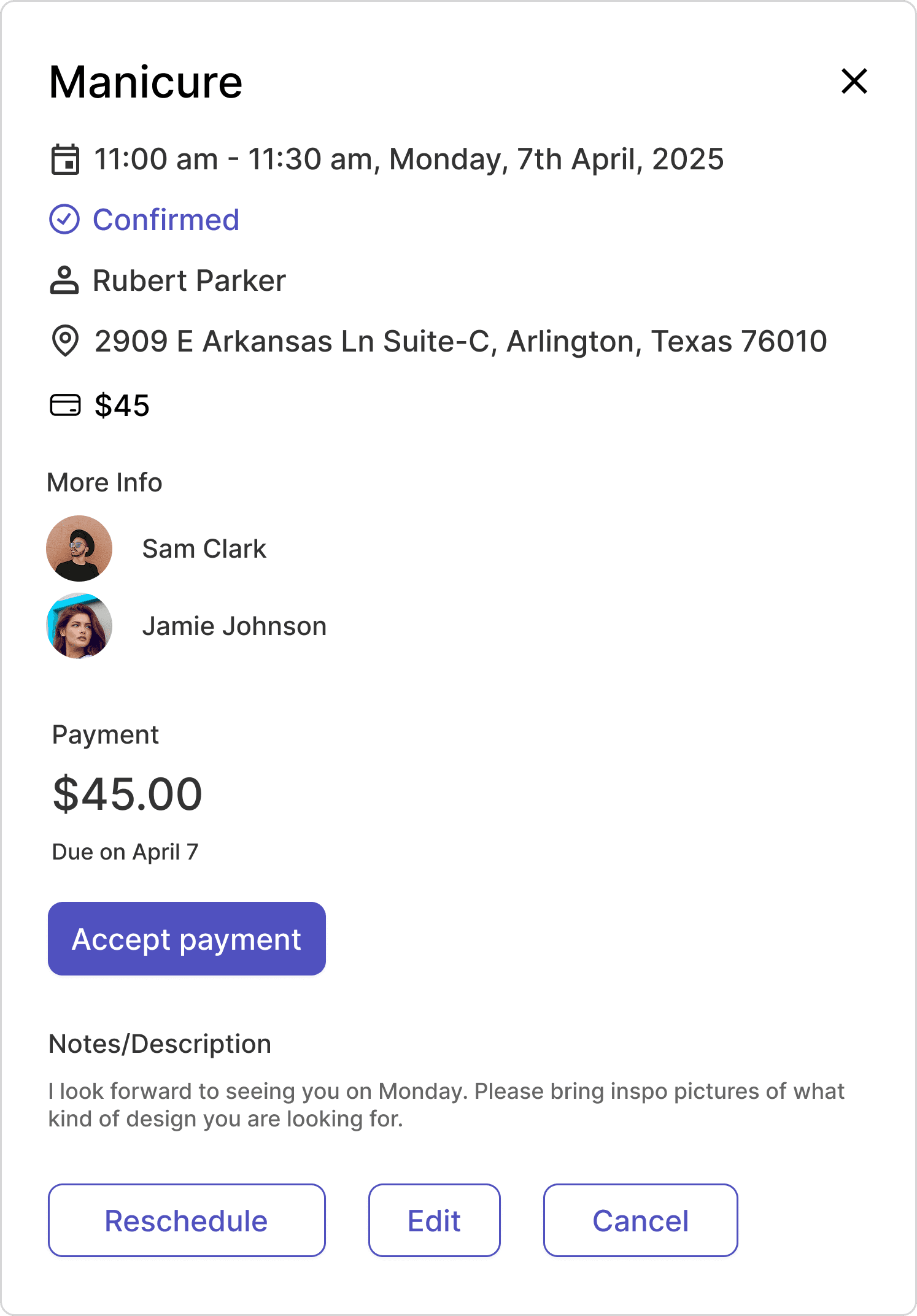
Appointments allow users to manage all upcoming meetings in one place. From each appointment, users can access virtual meeting links or physical addresses, view related payment details, send receipts, process refunds, and collect any pending payments.
Contact Management
Contact Management Hub
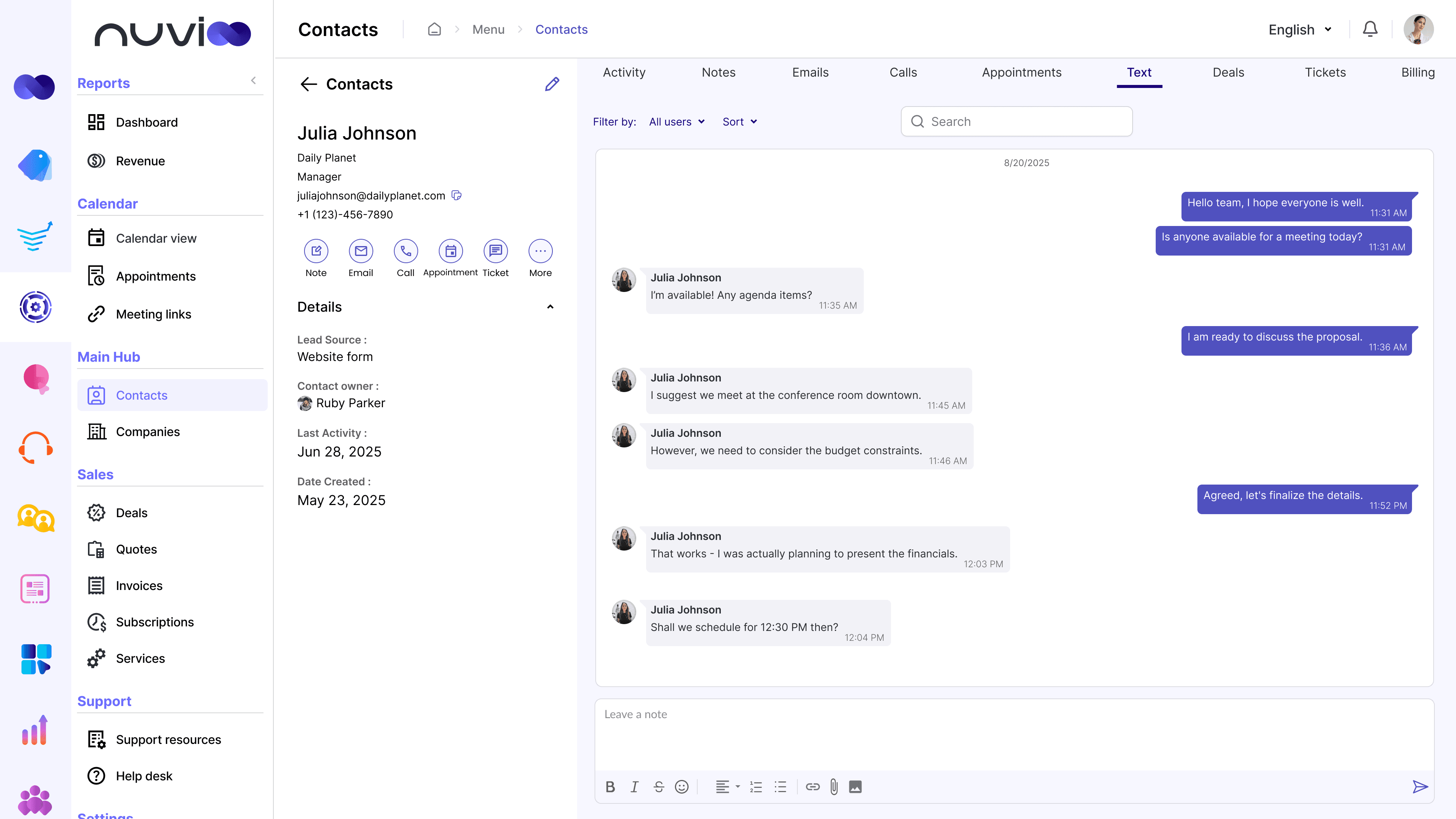
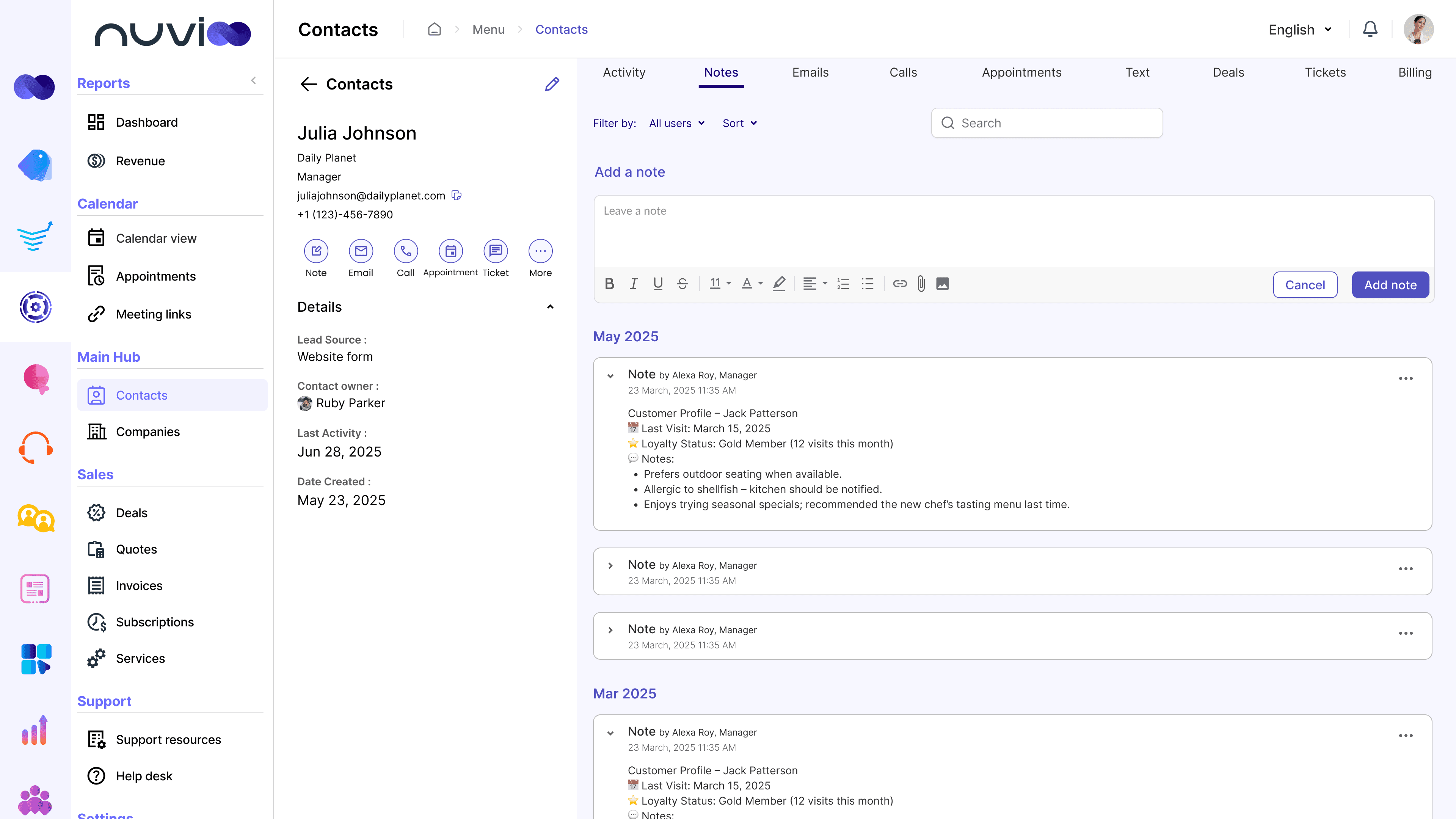
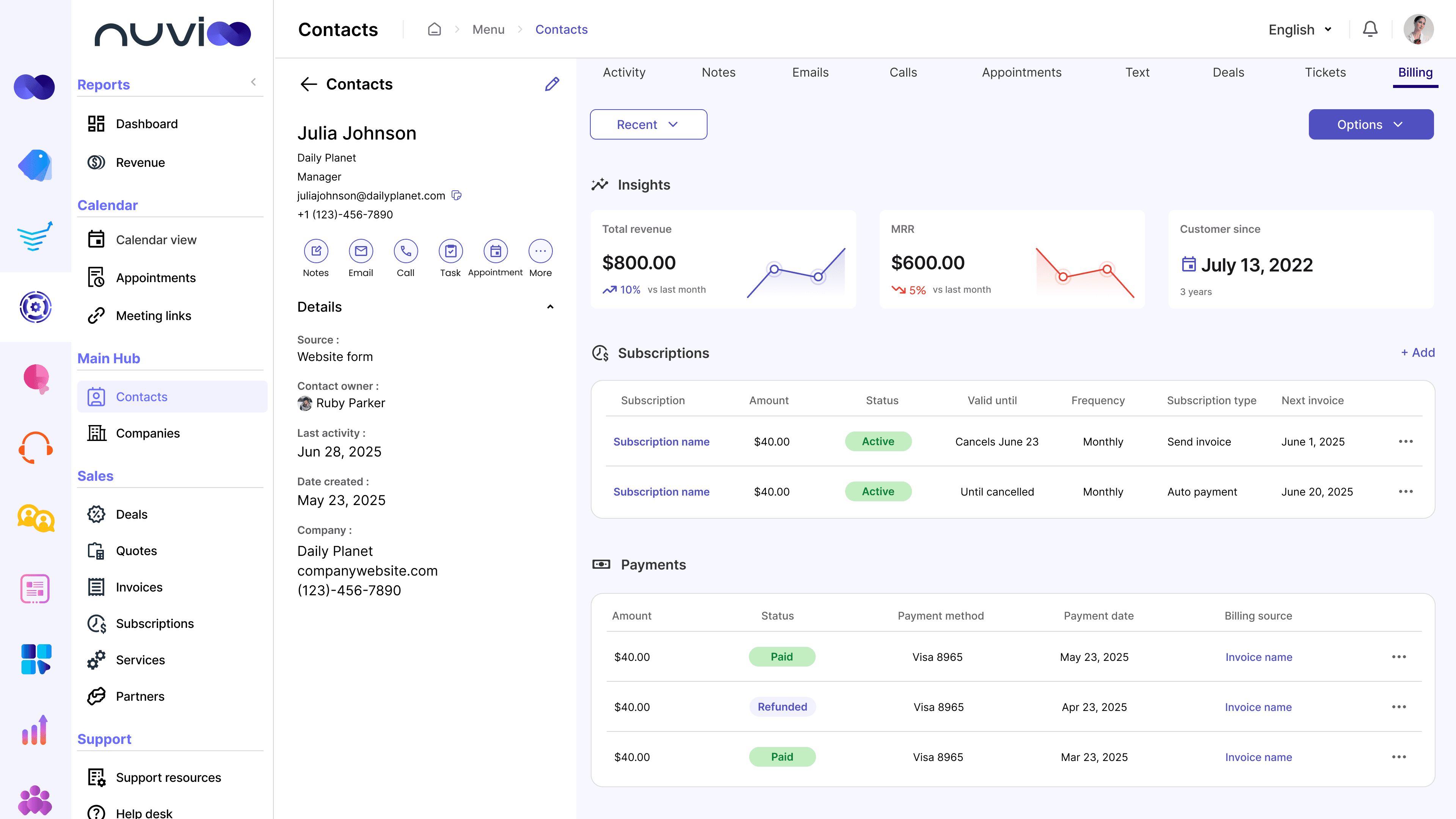
The Contacts screen acts as a centralized hub for all customer information and interactions. Each contact profile consolidates key details such as personal information, company data, ownership, and activity history, giving teams a complete view of the customer at a glance.
All customer touchpoints—including calls, texts, emails, notes, appointments, deals, and tickets—are organized within a single timeline.
Unified Billing and Payment
The Billing section within each contact profile brings together all financial interactions in one place. Teams can view and manage quotes, invoices, payments, subscriptions, and deal-related revenue directly from the contact record.
By centralizing payment history, the CRM ensures that sales, support, and finance teams are always aligned. This shared visibility reduces miscommunication, improves follow-ups, and helps teams make informed decisions based on real-time customer and revenue data.
Sales
Deals pipeline
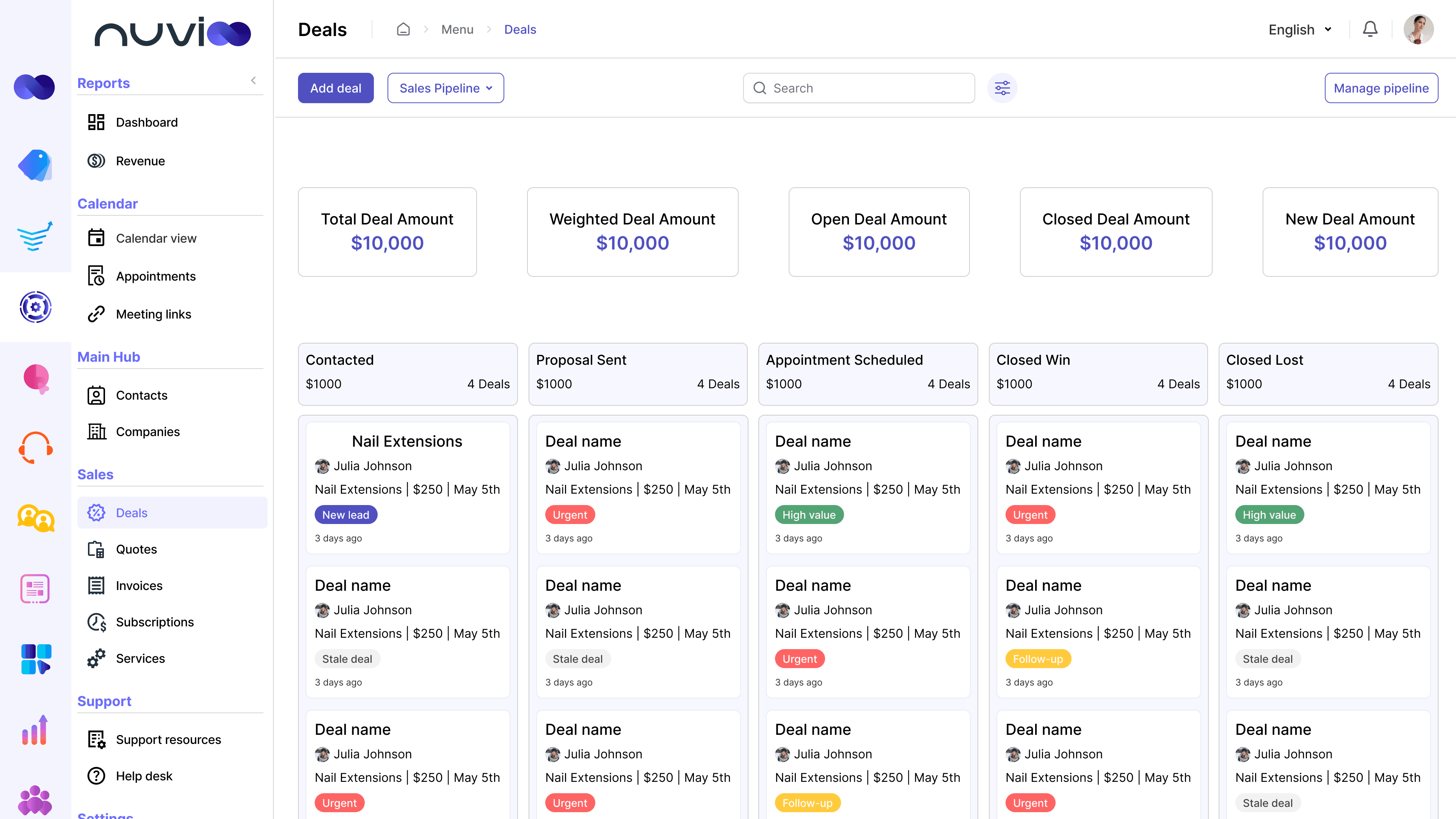
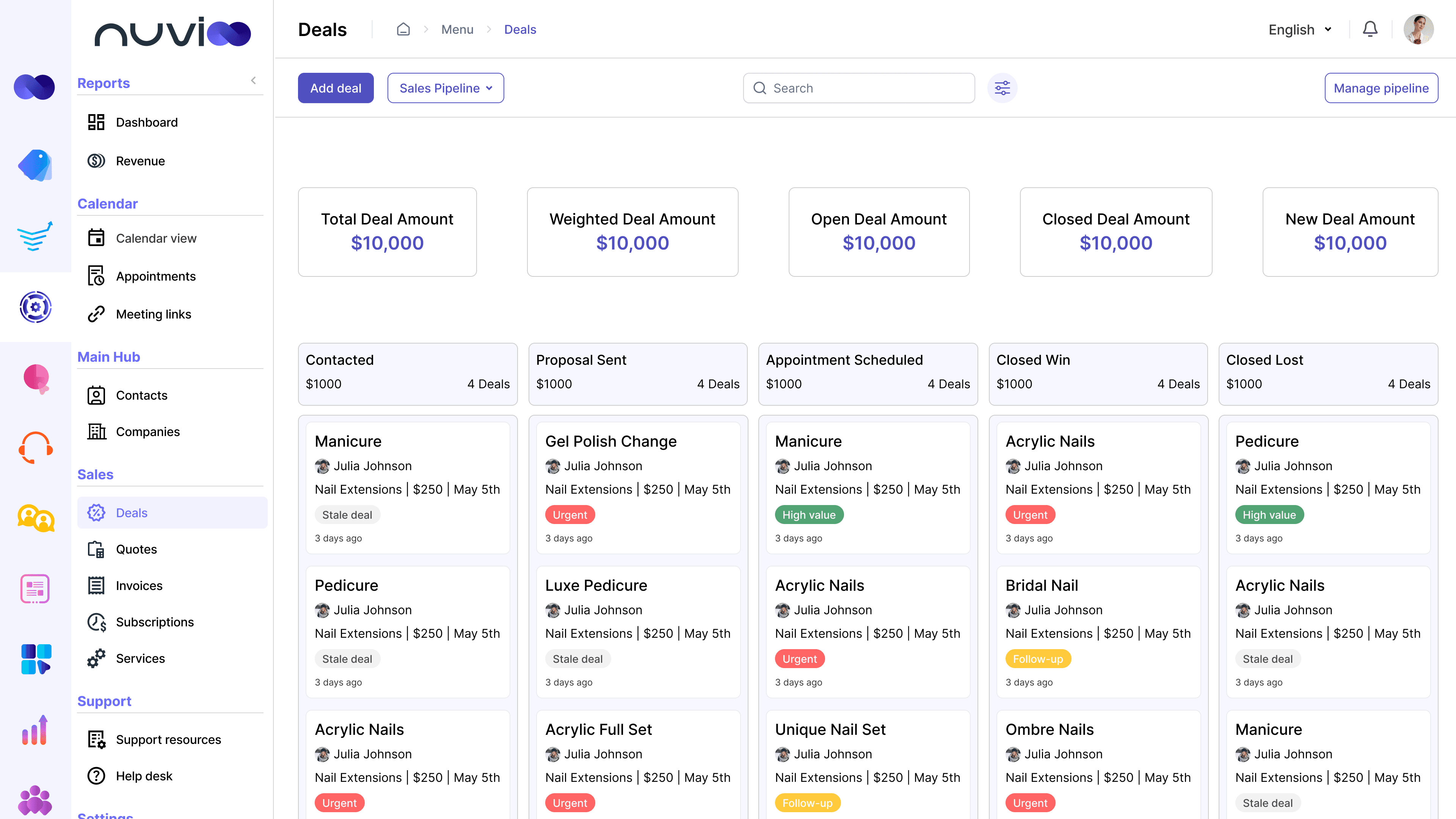
The deals pipeline allows users to create, organize, and track opportunities through defined stages. Deals can be tagged, assigned to staff, and monitored for progress to maintain visibility and accountability across the sales process.
Quotes and Invoices
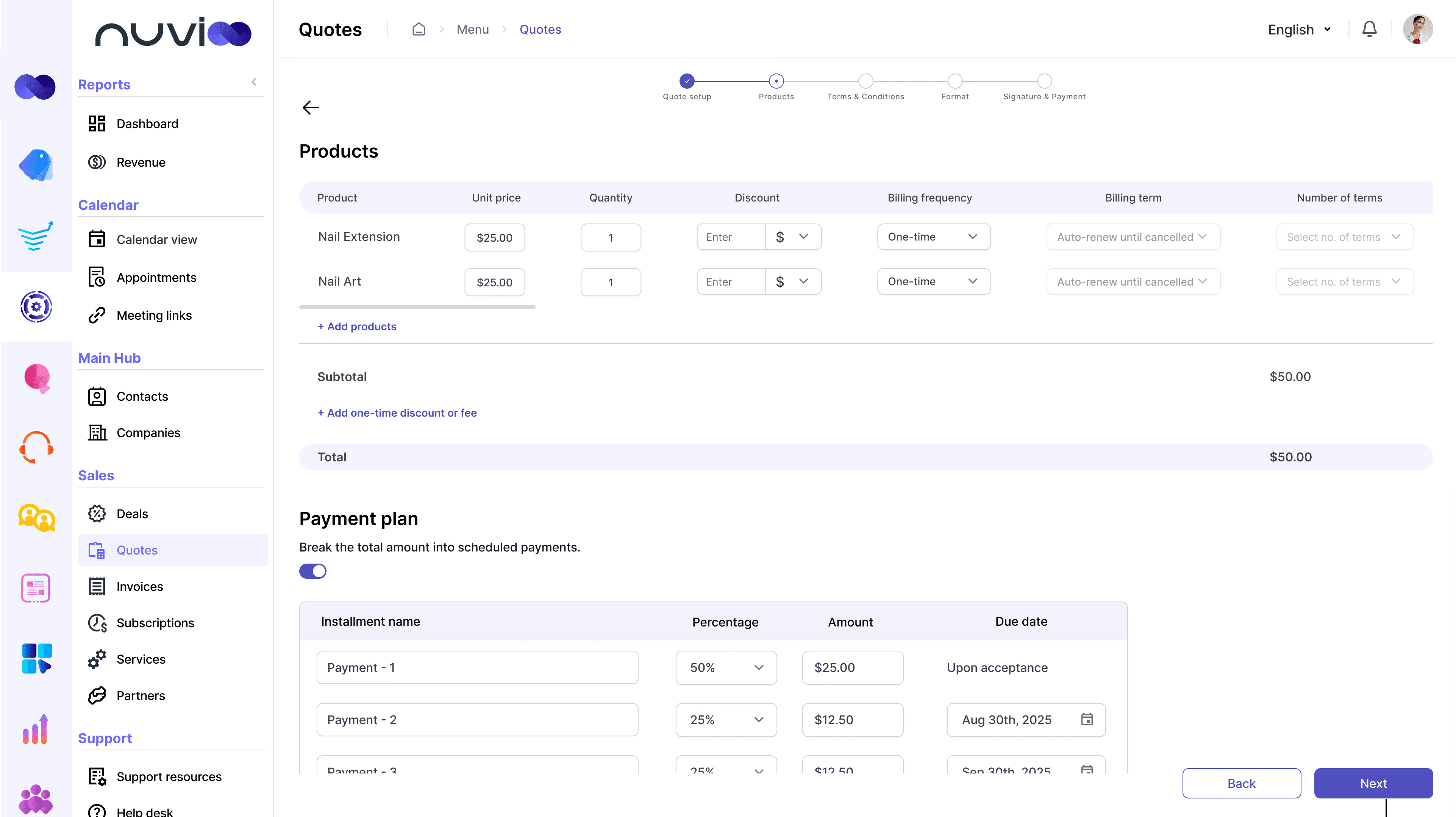
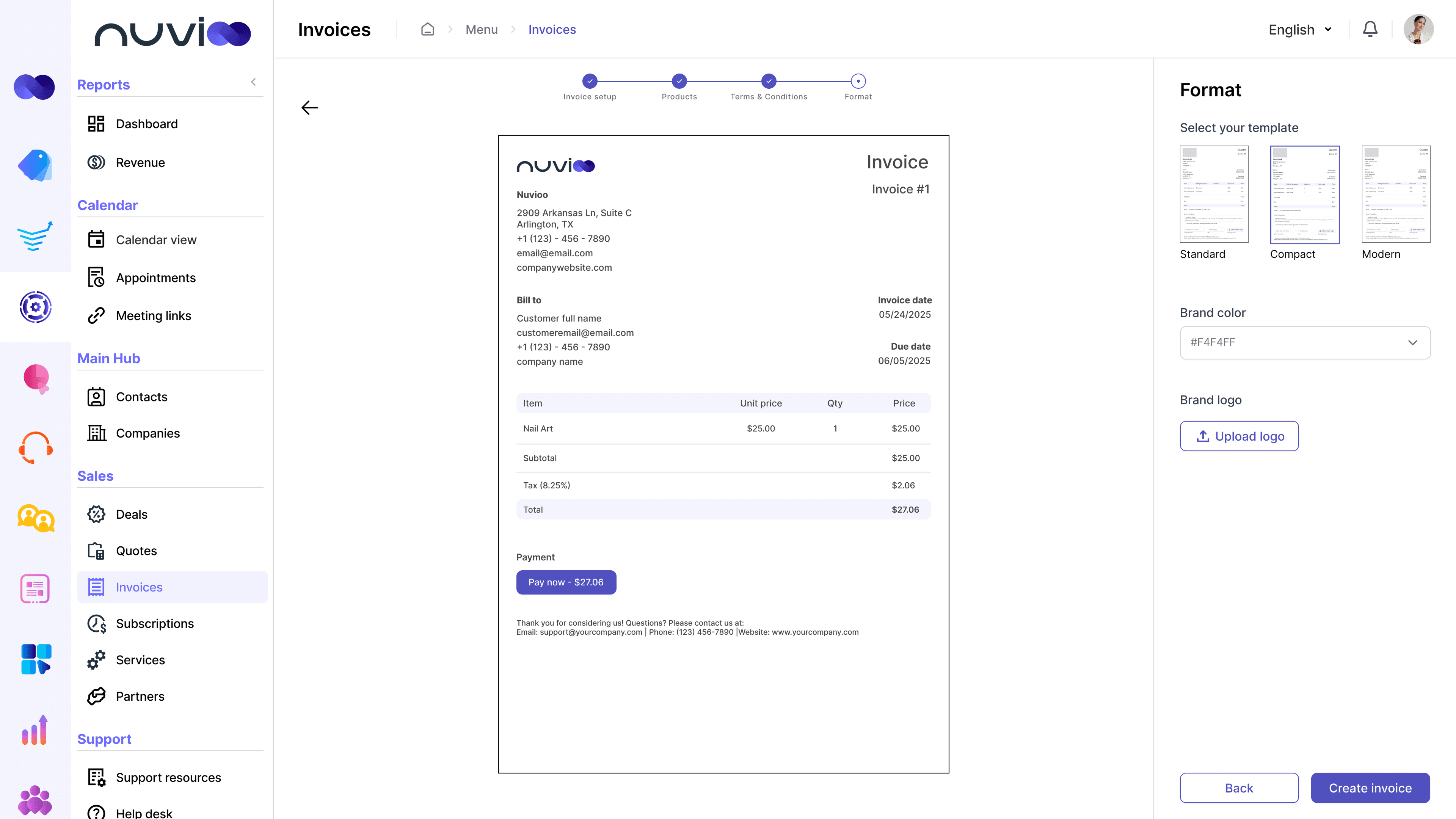
The CRM enables users to create quotes by adding products or services, applying custom pricing and discounts, and offering flexible payment options such as payment plans or subscriptions. Users can create and send invoices to request payments from customers. Invoices can be customized and branded to maintain a professional and consistent business identity.
Reporting
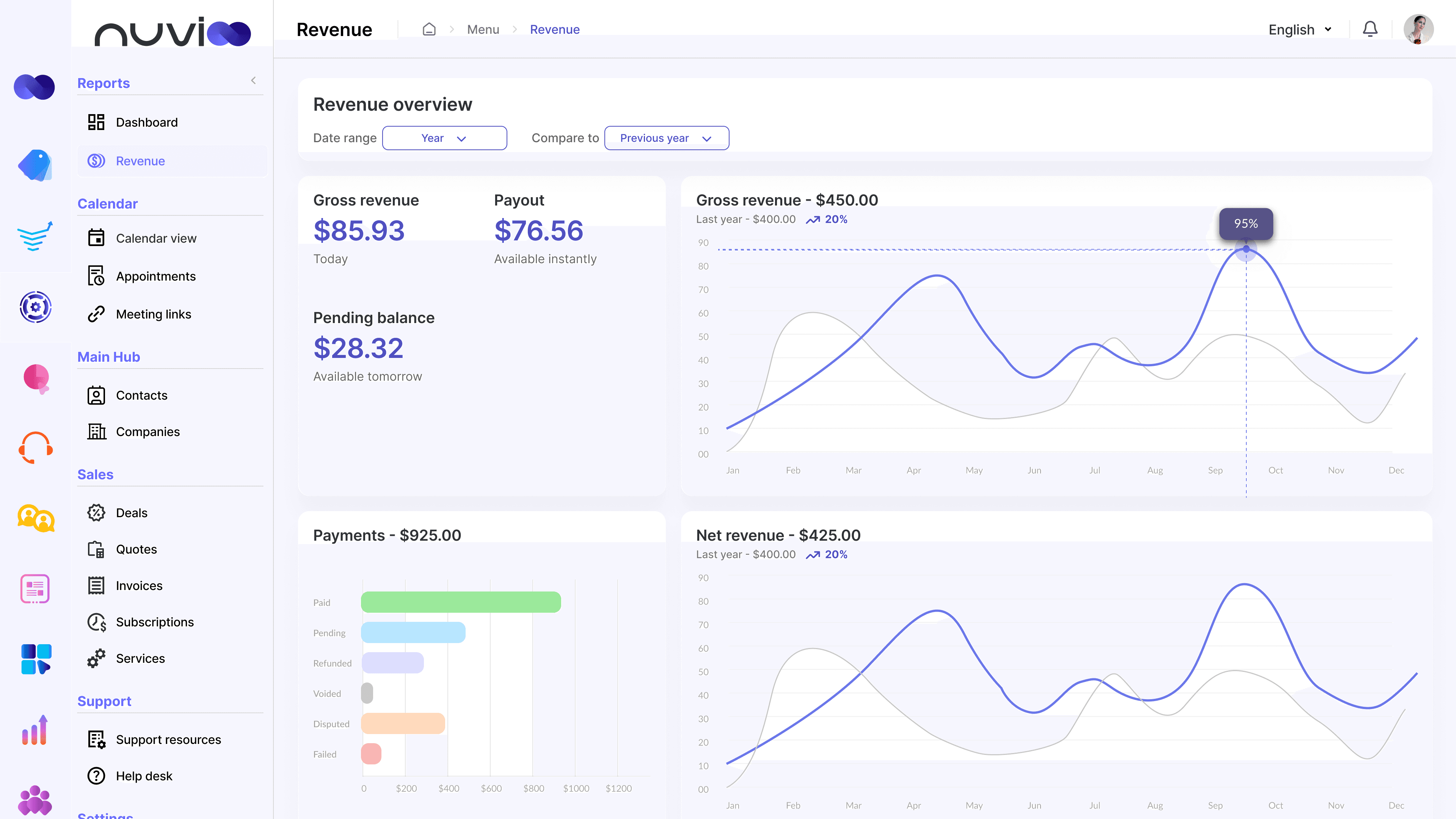
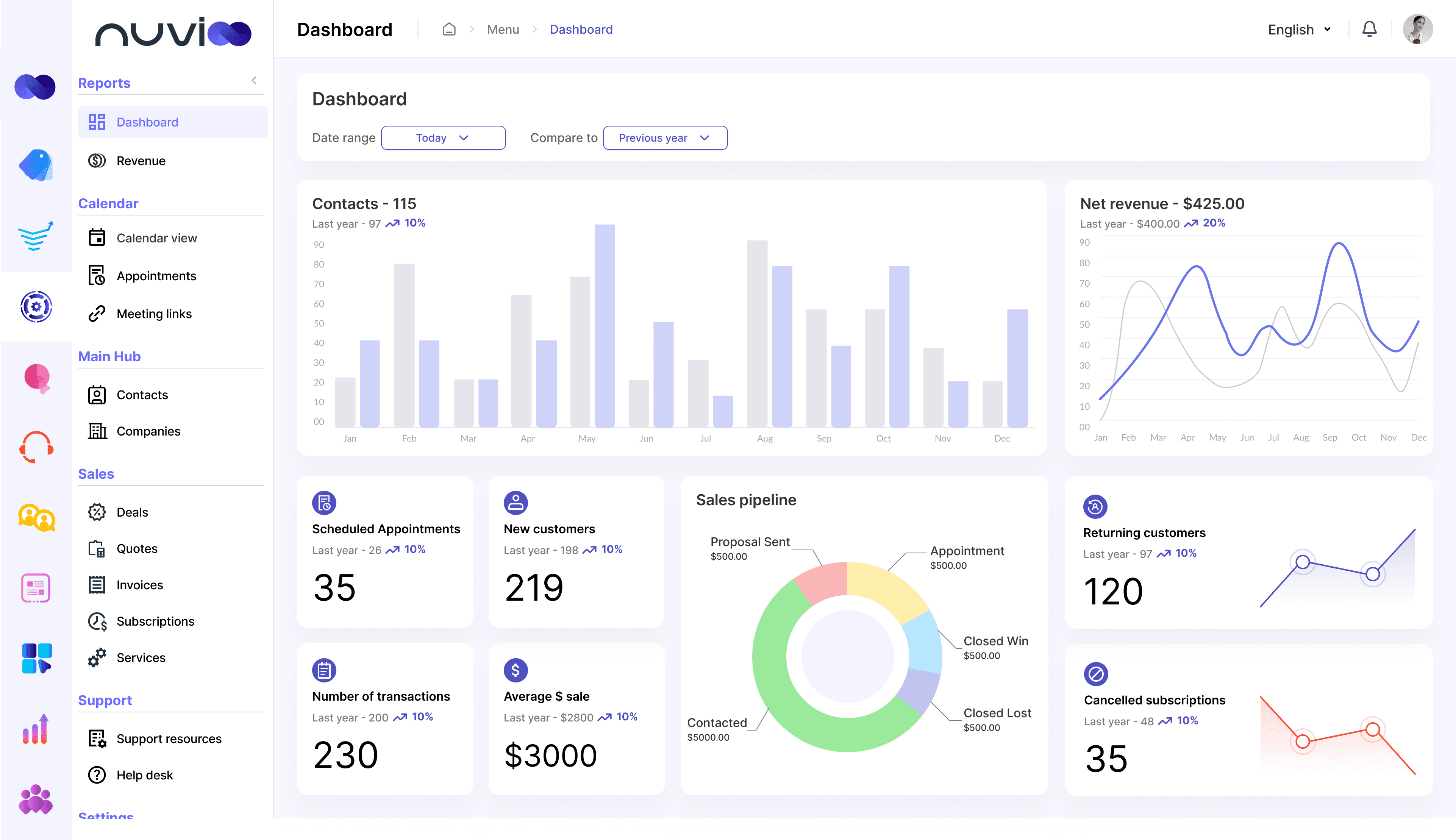
Revenue and Dashboard
Reporting screens - Revenue and Dashboard are designed in such a way that users can get an overview of their business. The flow of information follows the sales process from generating a lead to them becoming a customer to the purchase of the service, and ending in them becoming returning customers.
Testing: User Acceptance and QA
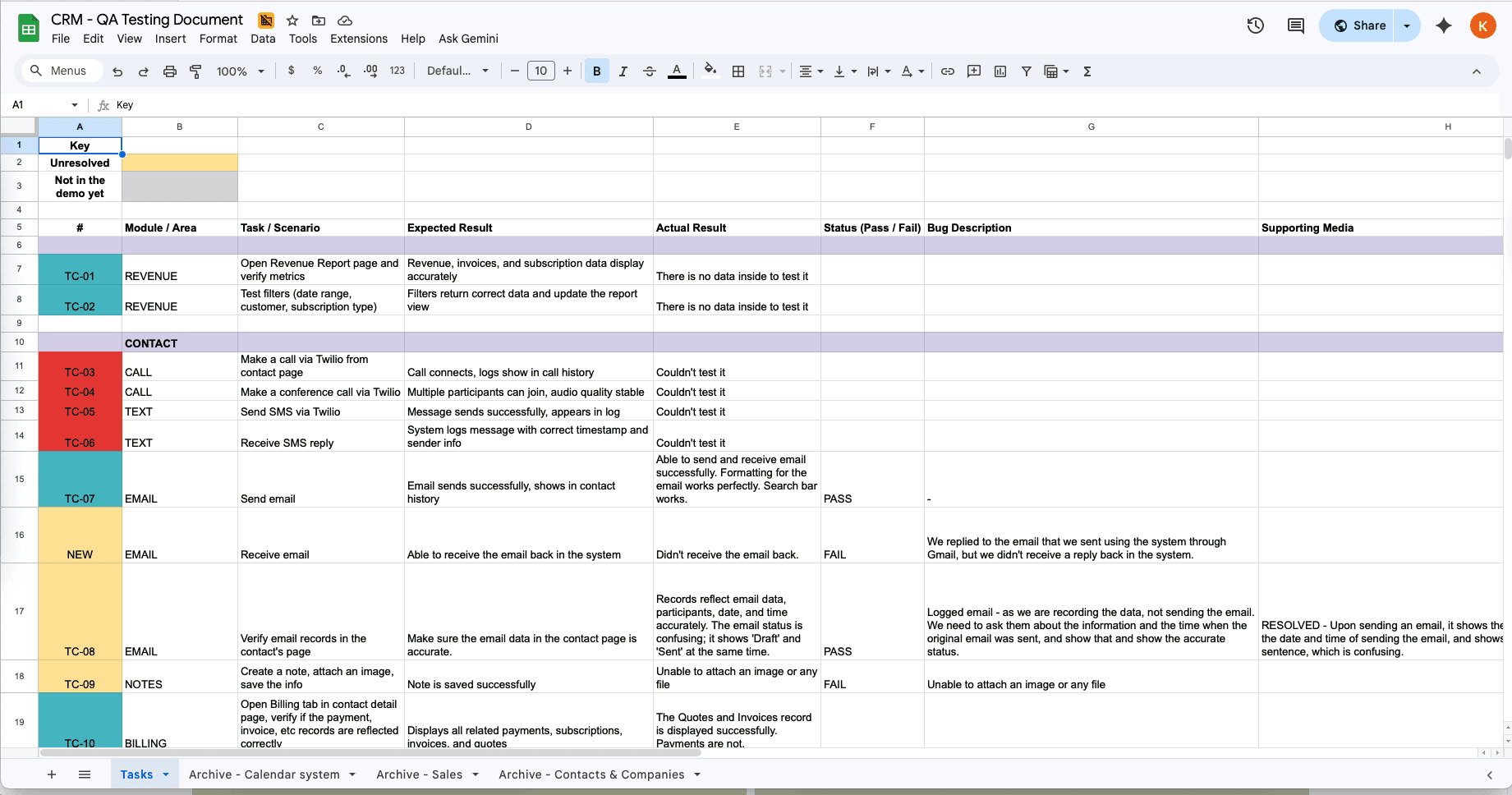
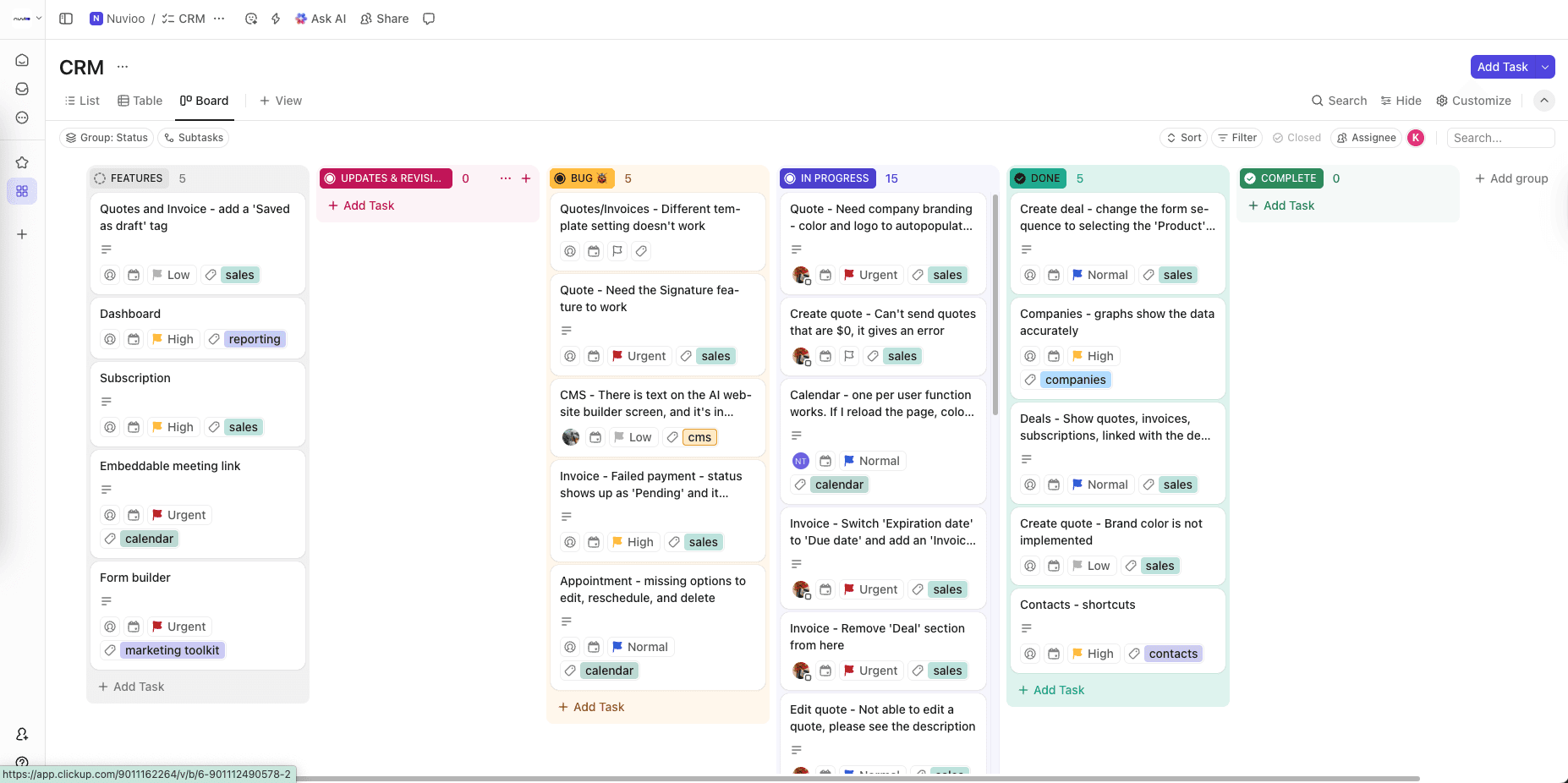
Over 3 rounds of user acceptance (UA) testing, I worked closely with my team to confirm the product matched the design specifications. We tracked and reported bugs and feedback in Excel sheets and ClickUp boards, which kept design and development aligned on what to fix.
What’s next and what I learned
Nuvioo CRM was designed as an MVP, with a focus on building a strong, scalable foundation. The initial release includes core systems such as the calendar, appointments, sales, and payments, and the product is actively expanding with a shared inbox, deeper calendar integrations, form builders, and additional automation tools.
This was my first time designing a CRM at this scale and owning the product design end to end. Working directly with stakeholders and developers as the sole designer taught me that the hard part isn’t any single screen; it’s how the modules connect, and designing systems that can grow over time.
Next time, I would invest more time upfront in planning, defining scope, and aligning on requirements with stakeholders before designing screens, and I would map how each module connects first. That clarity would allow for smoother iterations and more intentional design decisions.